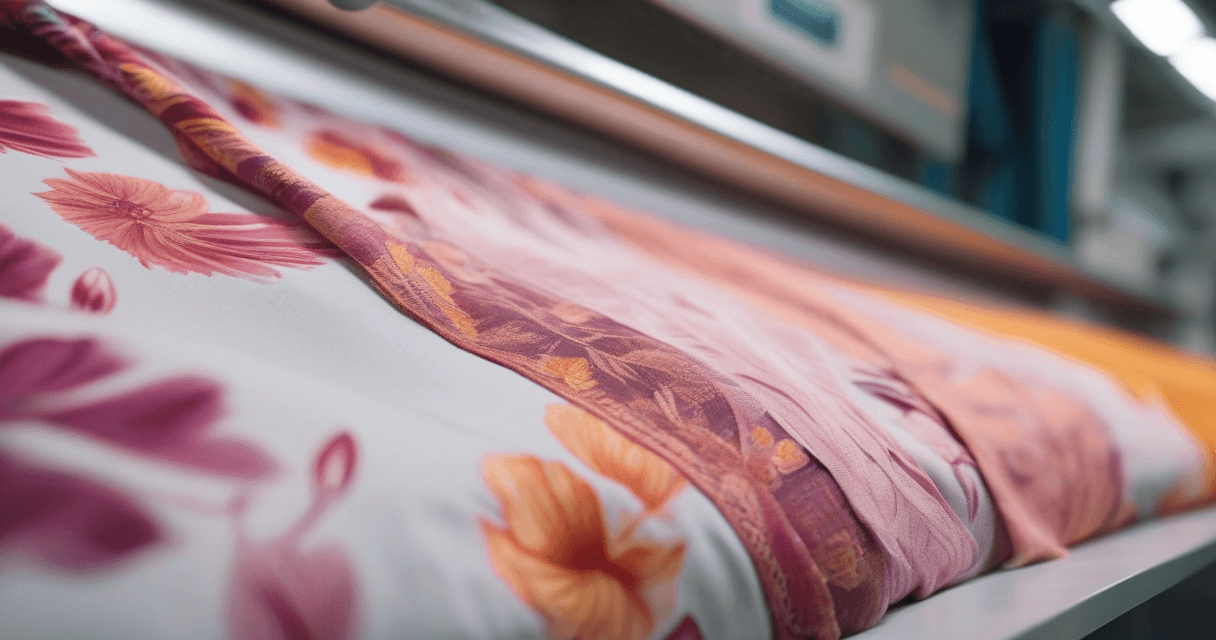
Before AI tools, making an image tile seamlessly meant opening Photoshop, running Filter → Other → Offset with the image half its dimensions, and manually cloning the resulting cross-shaped seam until it disappeared. For simple textures it took 15 minutes. For complex florals it took an afternoon. Every textile designer has done this at some point.
Today, the same result takes under a minute. This guide covers the current fastest workflow for turning a motif, photograph, or AI-generated design into a seamless repeat that prints cleanly at bolt scale, and the traps that still catch designers in 2026.
What Seamless Actually Means in Textile
A seamless repeat is an image where the top edge matches the bottom edge, and the left edge matches the right edge, so that the image can tile infinitely in both directions with no visible seam. On fabric, this means rolled meters of pattern with no stripe or line where one tile ends and the next begins.
Two separate properties matter: edge continuity (the literal pixel match at the boundaries) and visual continuity (no motif or color cluster forming an obvious grid when tiled). You need both. A pattern can have perfect pixel-level edge matching and still look terrible because a dark flower cluster near one edge forms a visible horizontal band when repeated.
Step 1: Start With the Right Source
Not every image is a good candidate for a seamless repeat. Before investing any time, assess the source:
- Good candidates: scattered motifs, abstract textures, small florals, geometric patterns, even-density designs
- Challenging but workable: large florals with negative space, hand-painted textures, photographed fabric swatches
- Poor candidates: single-subject photos, portraits, designs with one dominant focal point, heavy perspective
If your source is a poor candidate, either pick a different source, crop to an area with more even density, or plan to heavily edit the repeat unit before tiling.
Step 2: Choose the Tile Size
For bolt-scale textile printing, the standard tile sizes are:
- 20cm × 20cm — small-scale repeats for detailed work, but obvious repetition at garment scale
- 40cm × 40cm — balanced default, good for dress fabrics and home textiles
- 64cm × 64cm — industry-standard for rotary screen printing (matches screen diameter)
- 1m × 1m or larger — scale-up for statement prints, but creates very large files
At 300 DPI, a 40cm × 40cm tile is 4,724 × 4,724 pixels. At 360 DPI (rotary), a 64cm × 64cm tile is 9,071 × 9,071 pixels. Plan your source image size accordingly.
Step 3: The AI Seamless Method (60 Seconds)
The fastest current workflow uses an AI-based seamless tool that handles edge matching and motif rearrangement in one pass. The basic operation:
- Load your source image into a seamless repeat tool
- Set target tile dimensions (match what you chose in Step 2)
- Choose repeat geometry — straight, half-drop, or half-brick
- Run the tool — it will offset the image, rearrange motifs crossing the seam, and blend the boundaries
- Preview on a 3×3 grid immediately (most tools show this automatically)
Good AI tools will handle two things humans used to do manually: moving motifs that cross the tile boundary to positions where they do not create a seam, and blending color transitions at the edges so no hard line is visible. Poor tools just do a simple offset and blur — the result looks smudged.
Step 4: The Manual Cleanup Pass
AI does most of the work but rarely produces a perfect final result. Plan on a 3–5 minute cleanup:
- Zoom to 100% at output size and scan the four edges for any residual soft blur
- Check the 3×3 grid preview for visible grid stripes — if one motif is forming a band, move or duplicate it off that grid line
- Flatten any accidental color bleed with the Clone Stamp at low hardness
- Verify color continuity across tile boundaries (especially with bright colors on dark backgrounds)
This cleanup is where you earn the quality. AI provides the structural continuity; your eye catches the small issues that distinguish a professional repeat from an amateur one.
Step 5: Choosing the Right Repeat Geometry
The three standard repeat types behave differently:
- Straight repeat — tile directly in a grid. Simple, but can look gridded for motifs with any directionality.
- Half-drop repeat — each column shifts down by half a tile. Disguises vertical seams, preferred for florals and natural motifs.
- Half-brick repeat — each row shifts horizontally by half a tile. Works well for stone-like, masonry, or banded patterns.
When in doubt, default to half-drop. It is the textile industry's most-used repeat geometry for a reason — it hides repetition convincingly for the widest range of motifs.
Step 6: Verify Before Submission
Never submit a repeat without three verification steps:
- 3×3 grid visual check at 100% output zoom — look for grid stripes, motif crashes, color bands
- Seam energy check using a seamless checker tool that measures pixel continuity at the edges
- Scale paper test — print a 1-meter swatch on bond paper before committing to fabric
Skipping the scale test is how designers end up with rolls of fabric where a subtle seam runs down every meter. On a laptop screen at 25% zoom, the issue is invisible. On 1m of printed paper, it jumps out immediately.
Common Failure Modes (And Fixes)
The three most common seamless repeat failures:
- Visible horizontal or vertical band — a dense or bright motif too close to the edge, repeating as a stripe. Fix: move or delete the offending motif, or redistribute elements away from the edge.
- Soft smudge at the tile boundary — AI tool blended too aggressively. Fix: reduce blend radius, or use a sharper tool.
- Hard seam between tiles — edge continuity wasn't actually achieved. Fix: re-run with different settings, or do manual offset-and-clone on the remaining boundary.
For any repeat heading into rotary screen production, add one more check: the repeat size must exactly match the screen circumference (typically 64cm, 91cm, or 102cm depending on the specific rotary). A mismatched repeat size either doesn't fit the screen or has to be scaled, which introduces interpolation artifacts.
What to Read Next
For the deeper guide on seamless pattern design from concept to production, see the complete pattern design workflow. If you want to verify that a repeat is actually seamless at the pixel level, our guide on how to check if your pattern tiles correctly covers the measurement approach.
For a technical background on repeat geometry in traditional textile production, the V&A Museum's pattern printing history traces the mathematical conventions back to their industrial origins.
One minute to make the repeat, five minutes to verify it, and you save an entire production run from the kind of mistake that only shows up on printed fabric.